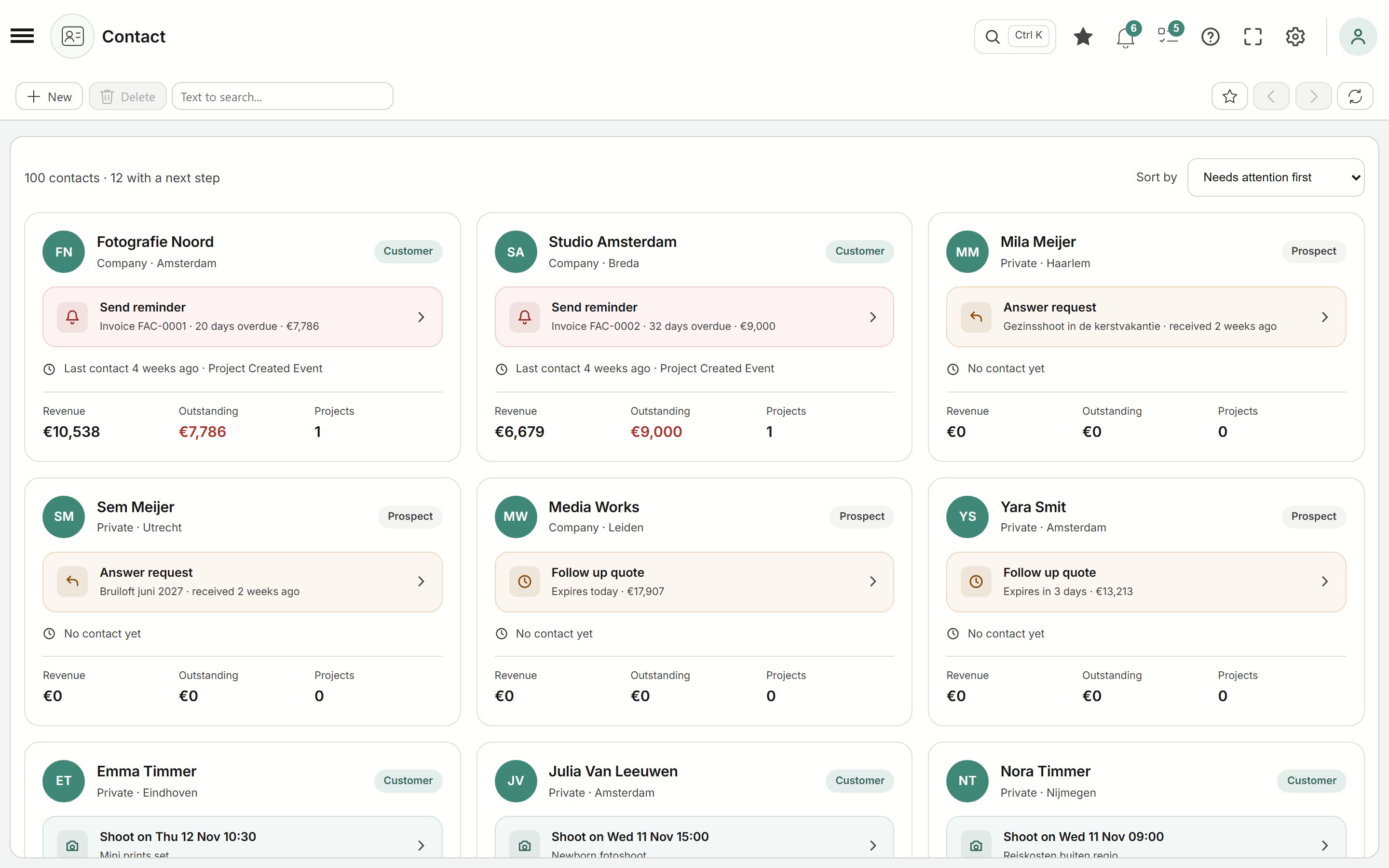
Know what each client needs next
Every contact card shows the next step: send a reminder, follow up on a quote or today's shoot. One click takes you there, and what needs attention is at the top.
Software for photographers
From the first enquiry to the last album: quotes, planning, photo shoots, online albums and invoices in one calm workspace, made for photographers.
Already have an account? Log in here.
How it works
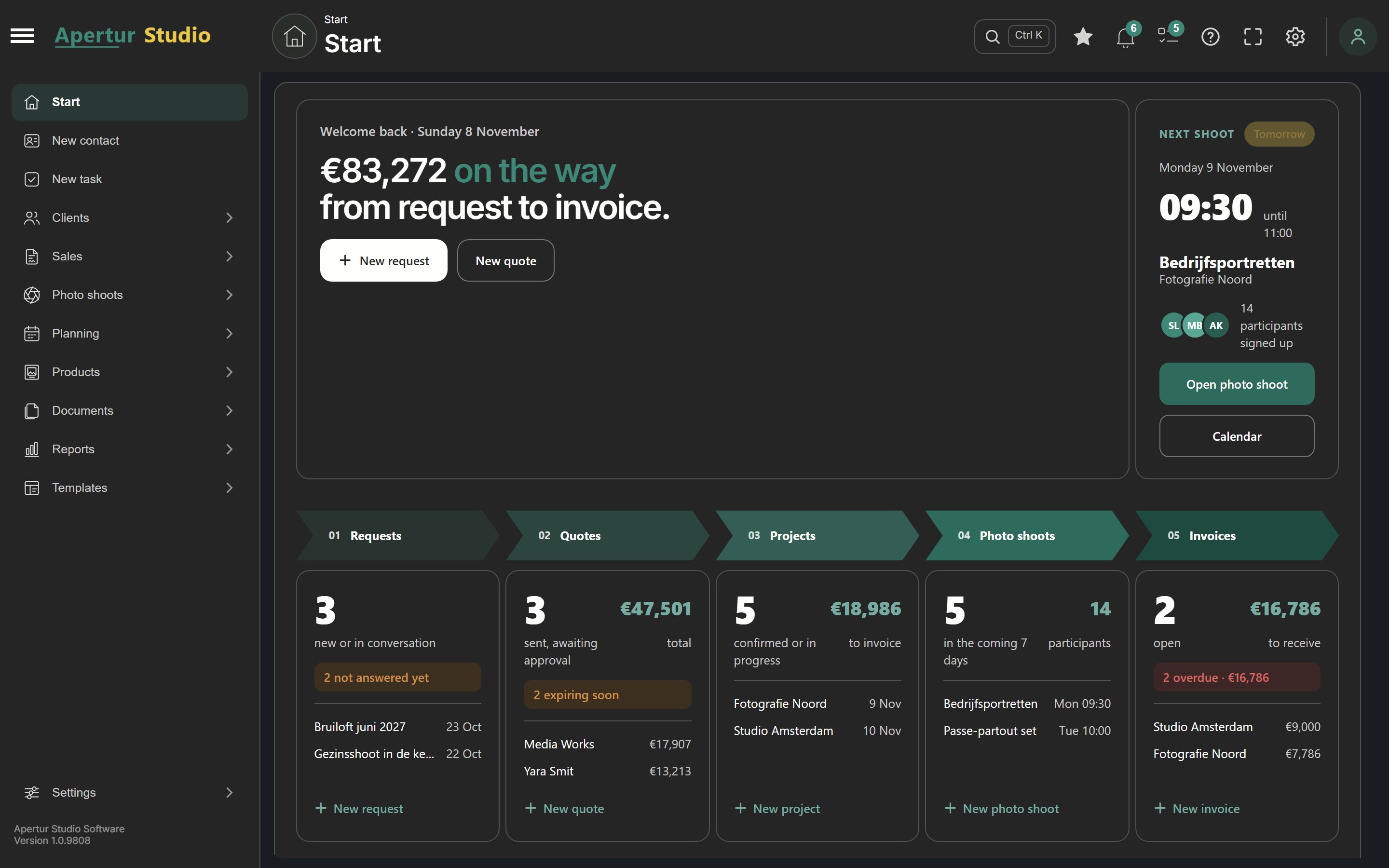
Every step follows on from the previous one. You never type anything twice and always see where a client stands.
Record every contact moment: phone, email or messaging. Everything is on your client's timeline.
Put together a quote from your products and packages. Accepted? It becomes a project right away.
Schedule the shoot in the calendar, with photographer and studio space, and keep track of tasks.
Deliver the photos in an online album in your own style, for as long as you like. Your client picks favourites and requests retouches.
Invoice in one go or with advance payments. Your client pays online or with the QR code, and you see at once what is outstanding.
Live shooting
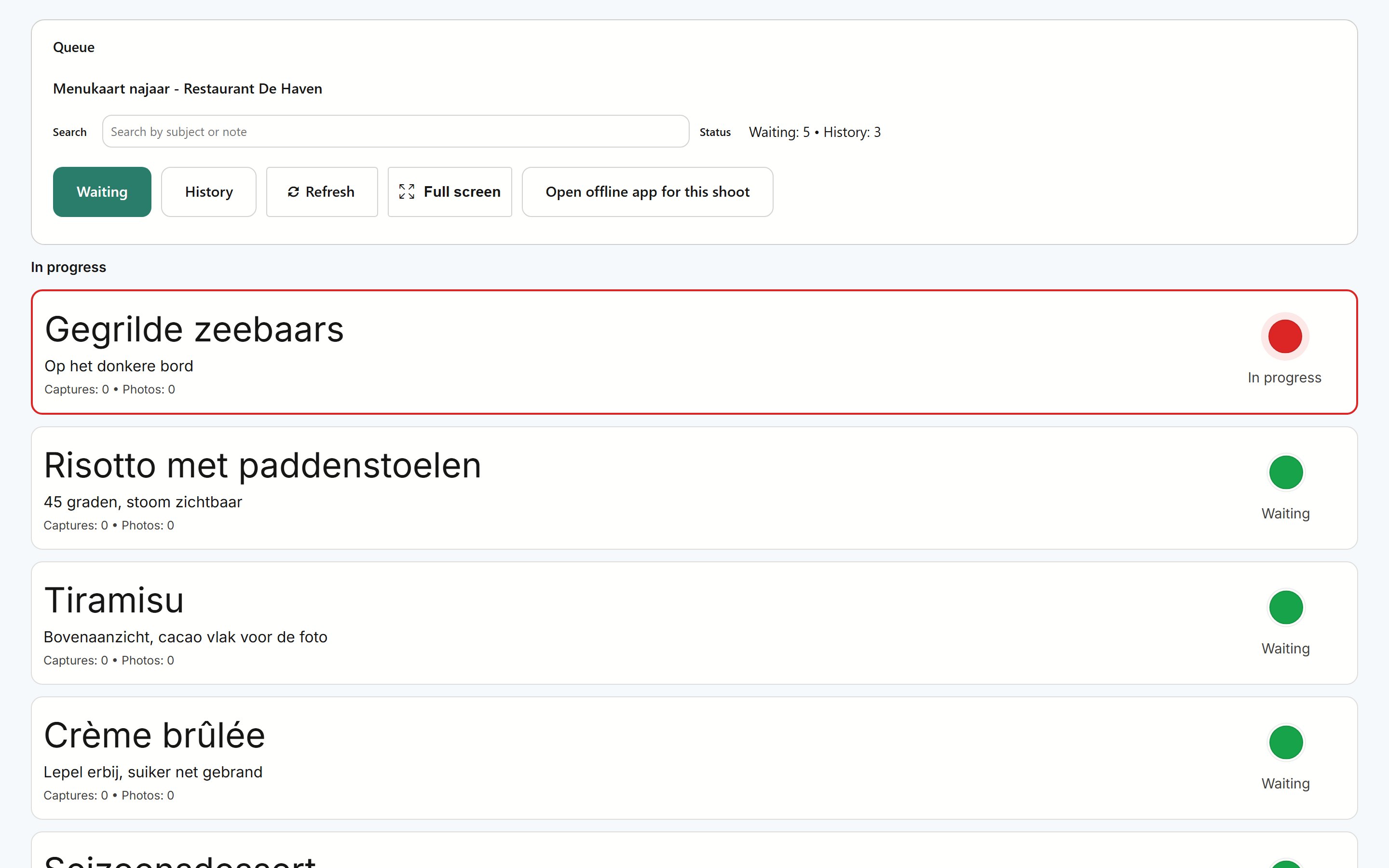
Shooting tethered with Capture One® or Adobe® Lightroom®? The live queue keeps track of who or what is in front of the camera: people for headshots and events, but also dishes on a food shoot or products on a product shoot.
Participants sign up with a QR code. For a food or product shoot you paste your client's list, with a note per dish or product for on set. On the day you work full screen with large buttons, on a touchscreen too, and filter by department or location.
In the live queue, click whoever or whatever is up next: the name is on your clipboard right away. Set up naming in Capture One once with the Clipboard token, and every next photo is automatically called something like Truffle_tagliatelle_0003. In Lightroom you paste the name into Shot Name on the tethered bar.
Folder Watch uploads your exports. By file name, every photo goes to the right person or dish, and the album shows the name as a caption.
Turn on the live session: your client sees every new capture on their phone and marks favourites with a heart, which get a colour in Capture One right away. At an event you show the latest photo on a big screen.
What it looks like
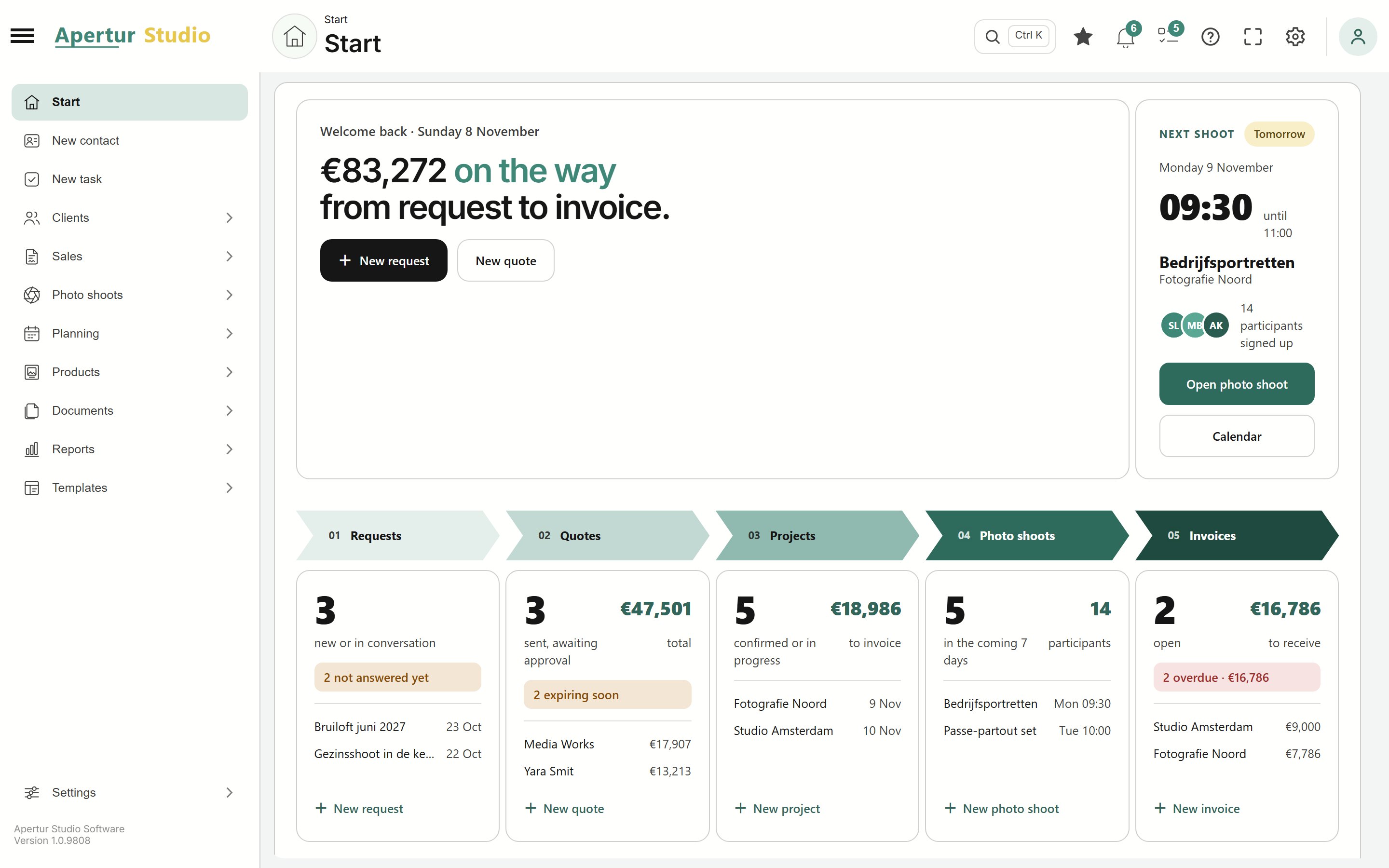
Everything you need where you expect it. Also in a dark theme, for long evenings at the computer.
Every contact card shows the next step: send a reminder, follow up on a quote or today's shoot. One click takes you there, and what needs attention is at the top.
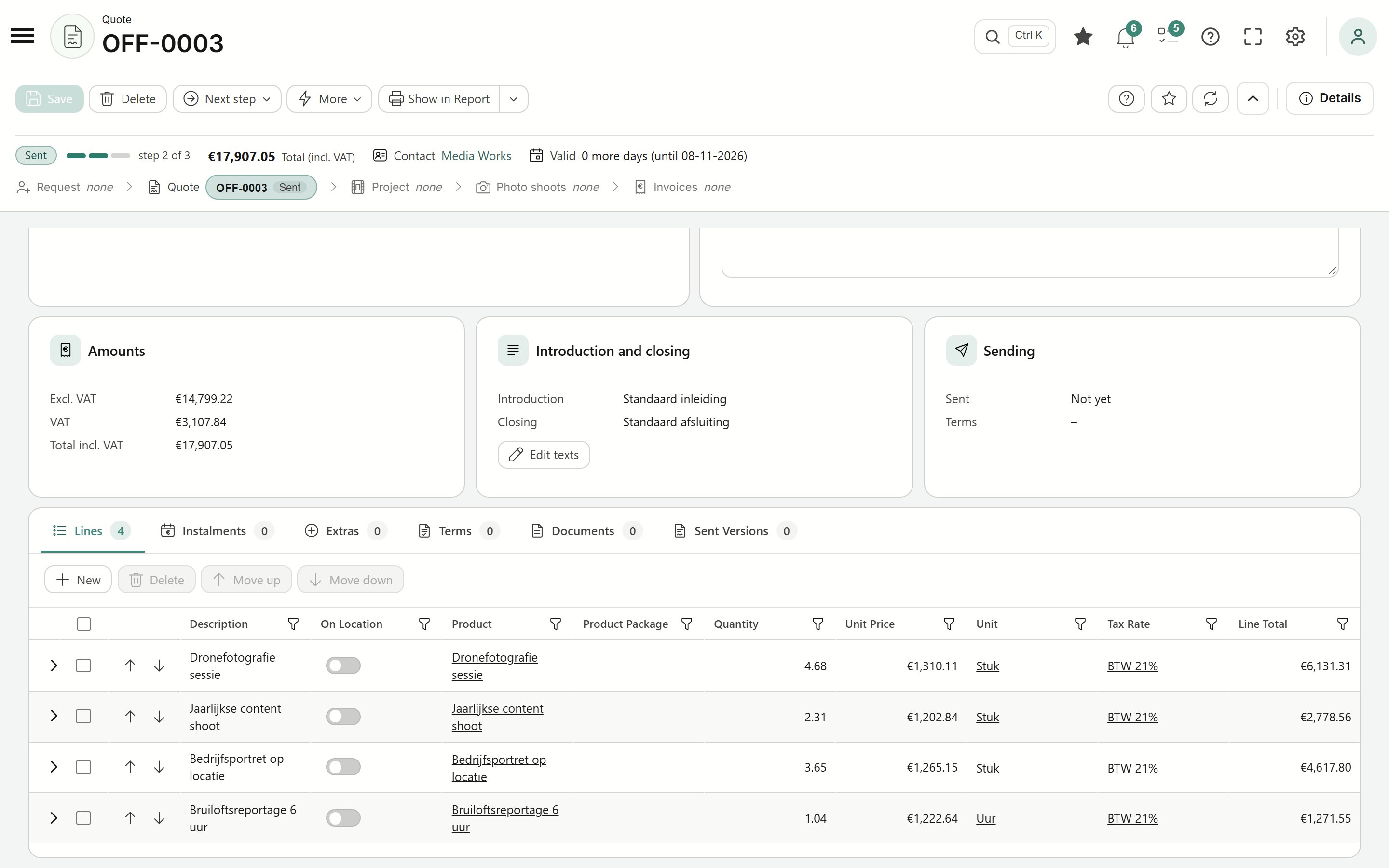
Products, packages, extras and payment terms in one quote, with your own texts and terms.
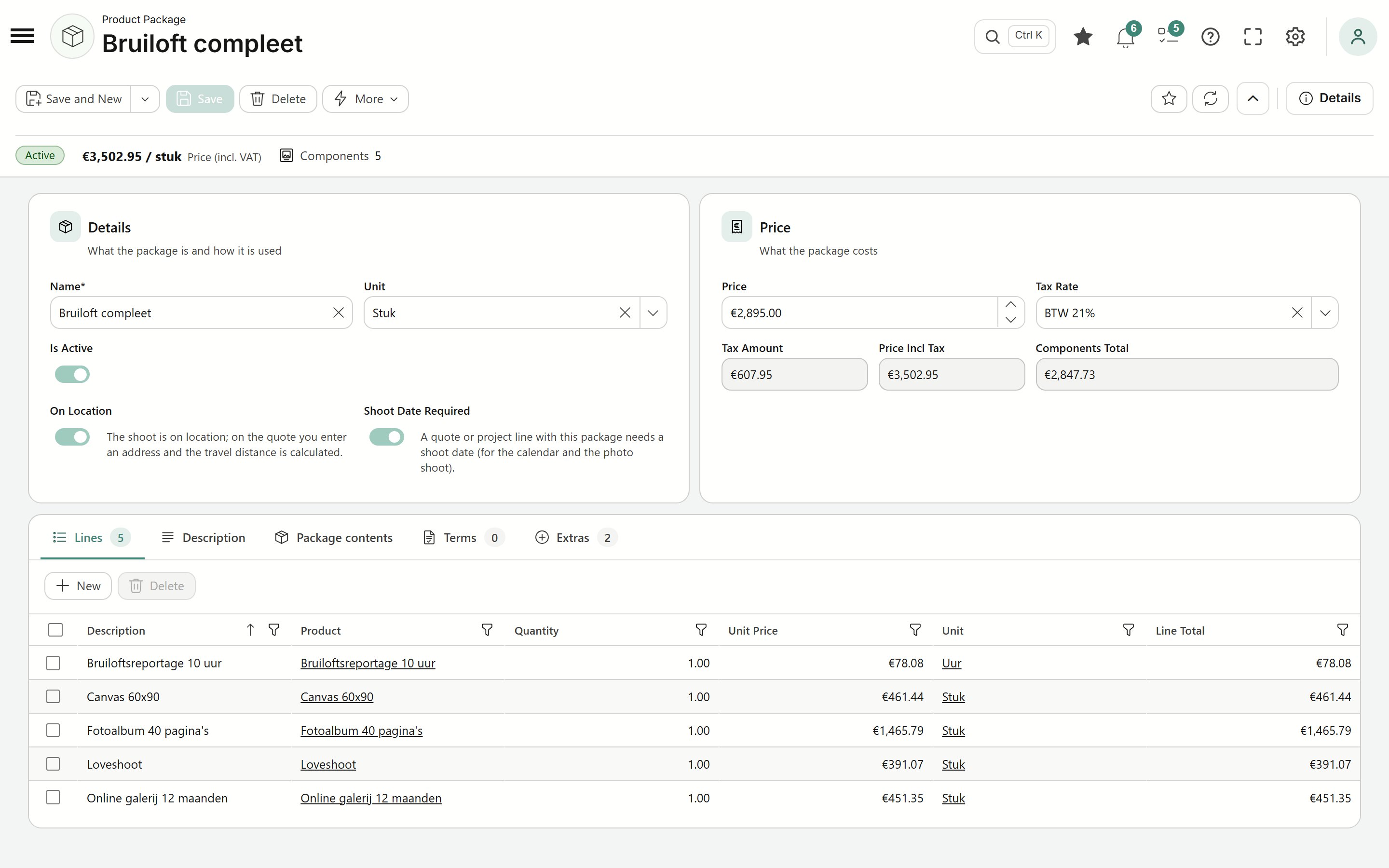
Build a package from your own products, with a fixed price, VAT, contents and extras. In the quote it is a single line.
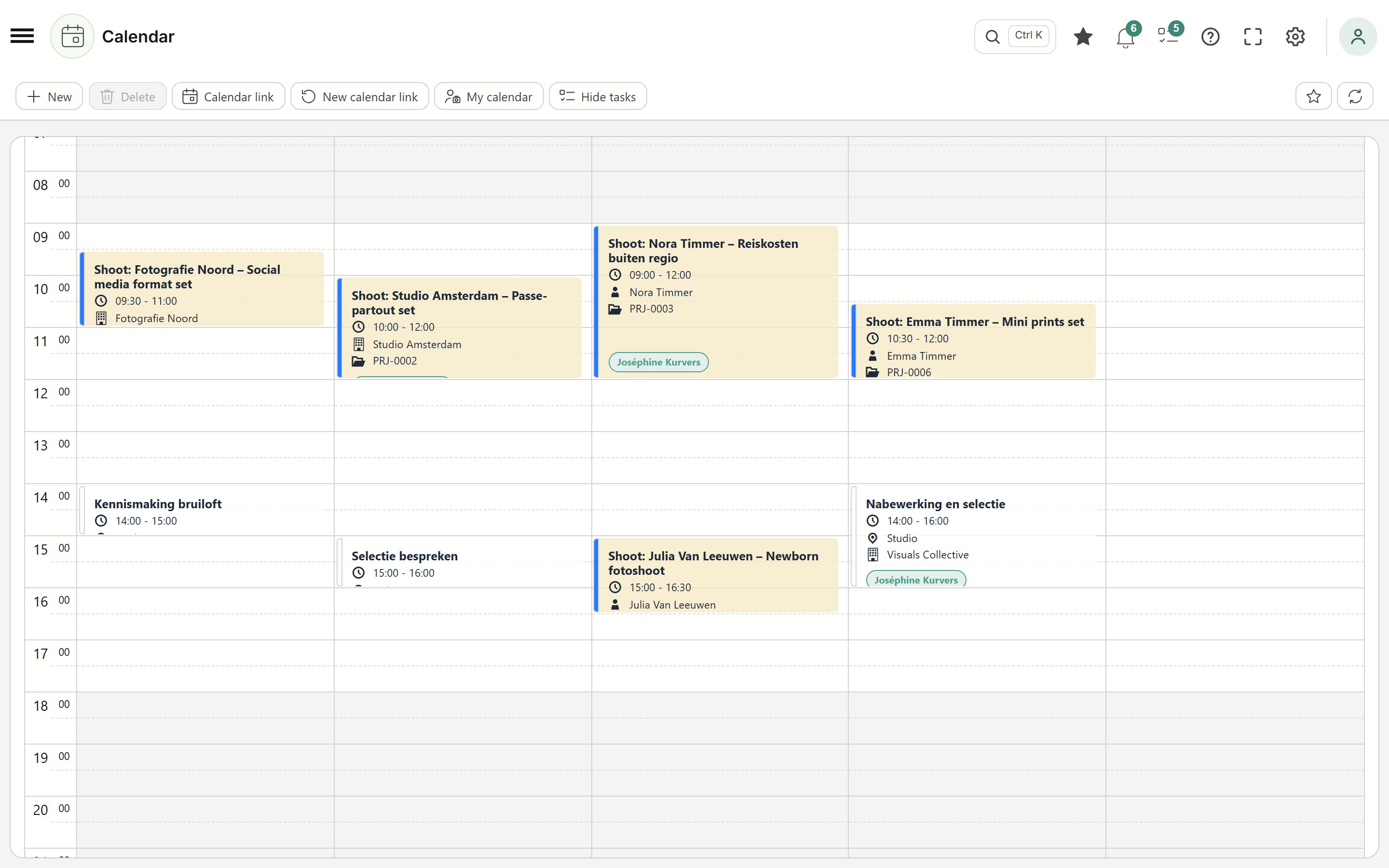
Shoots, introductory meetings and deliveries in the calendar, linked to client and project.
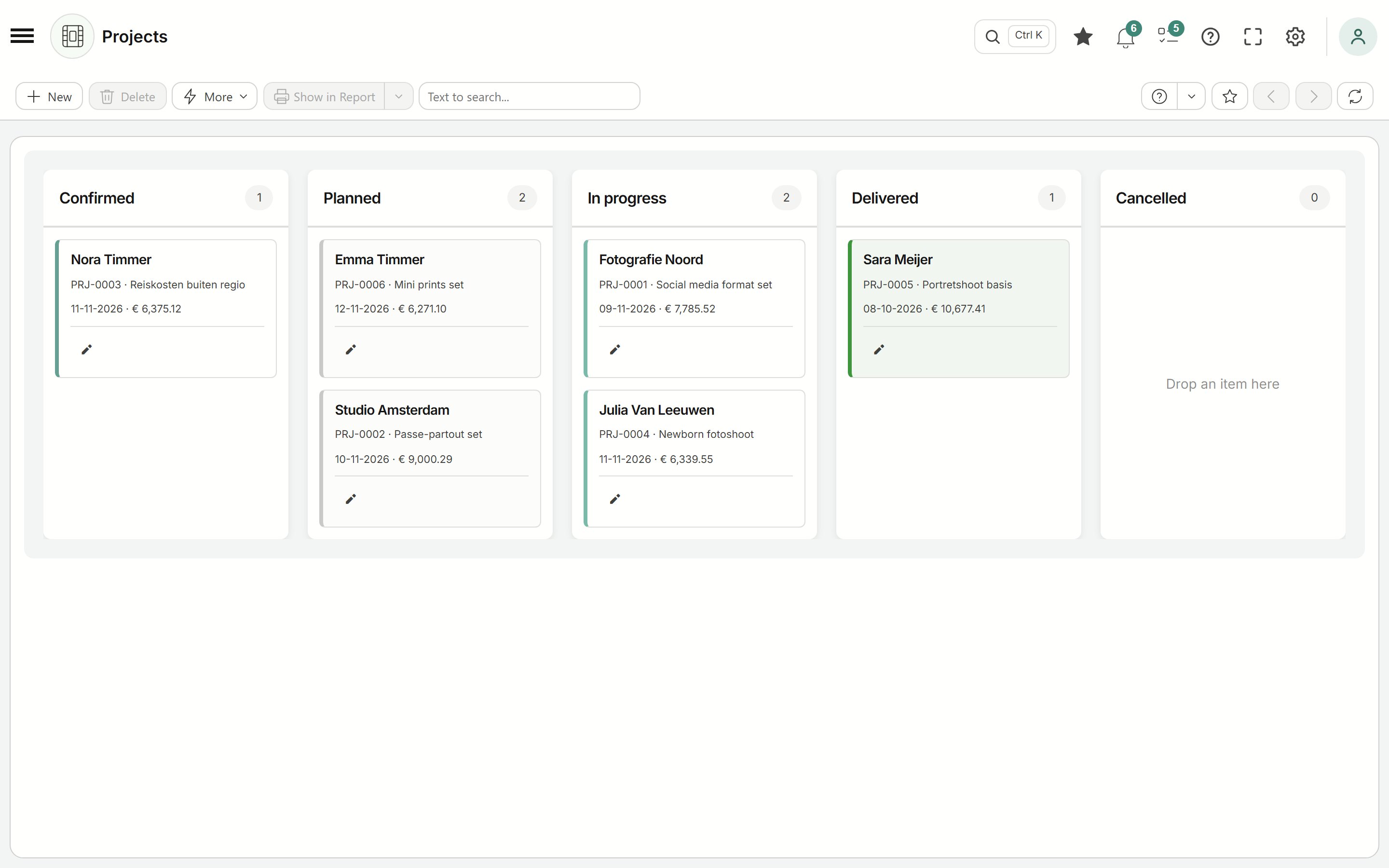
Every project on the board, from confirmed to delivered. You can only deliver once the shoots, retouches and invoices are done, and once everything is paid the project closes by itself.
Participants, queue, album, live session and sign-up of a shoot together. What you rarely change folds away, and on a big shoot the contents menu takes you straight to the right part.
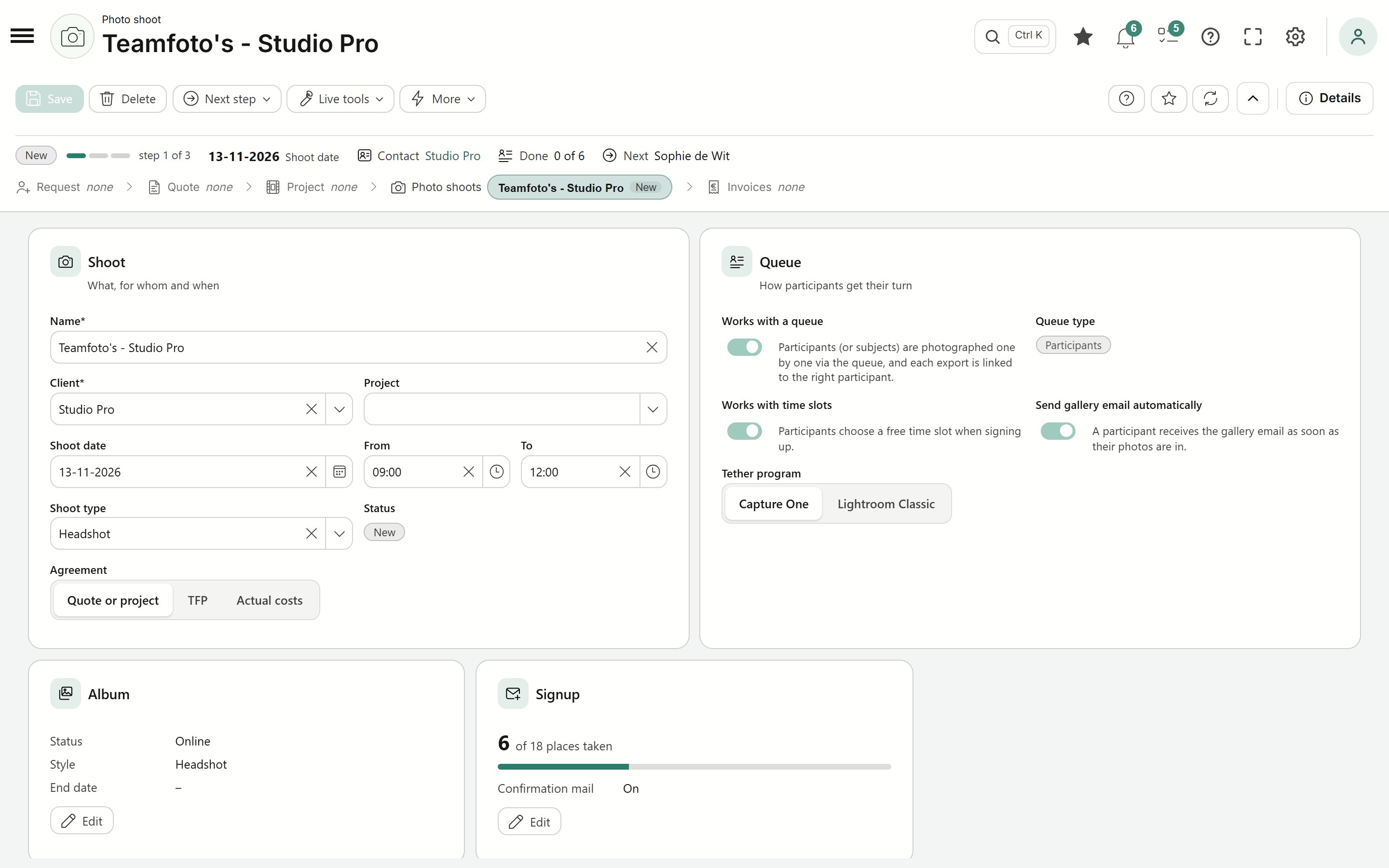
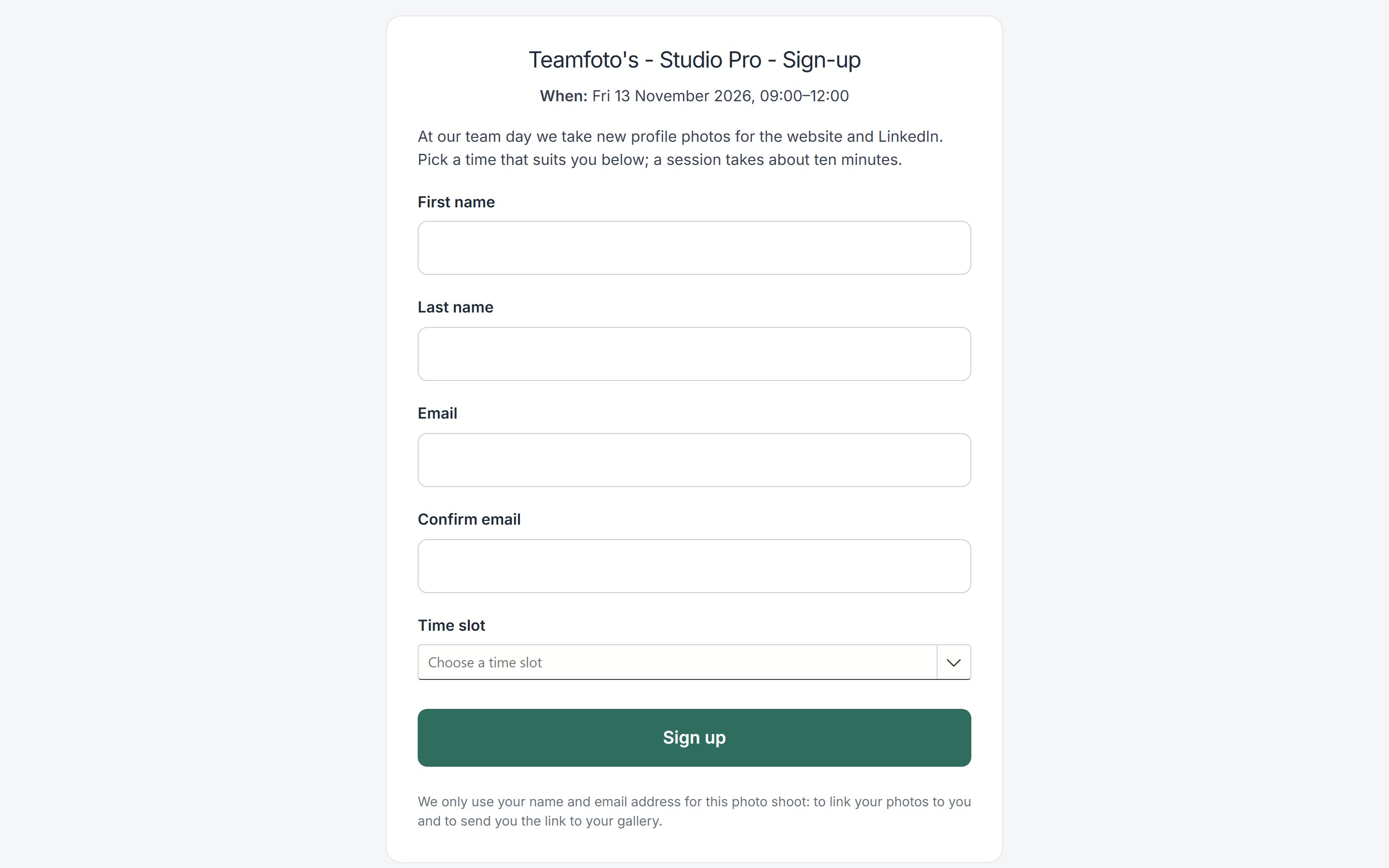
Share the sign-up link or the QR code: participants pick a free time slot and are in your queue right away. Full time slots can no longer be chosen.
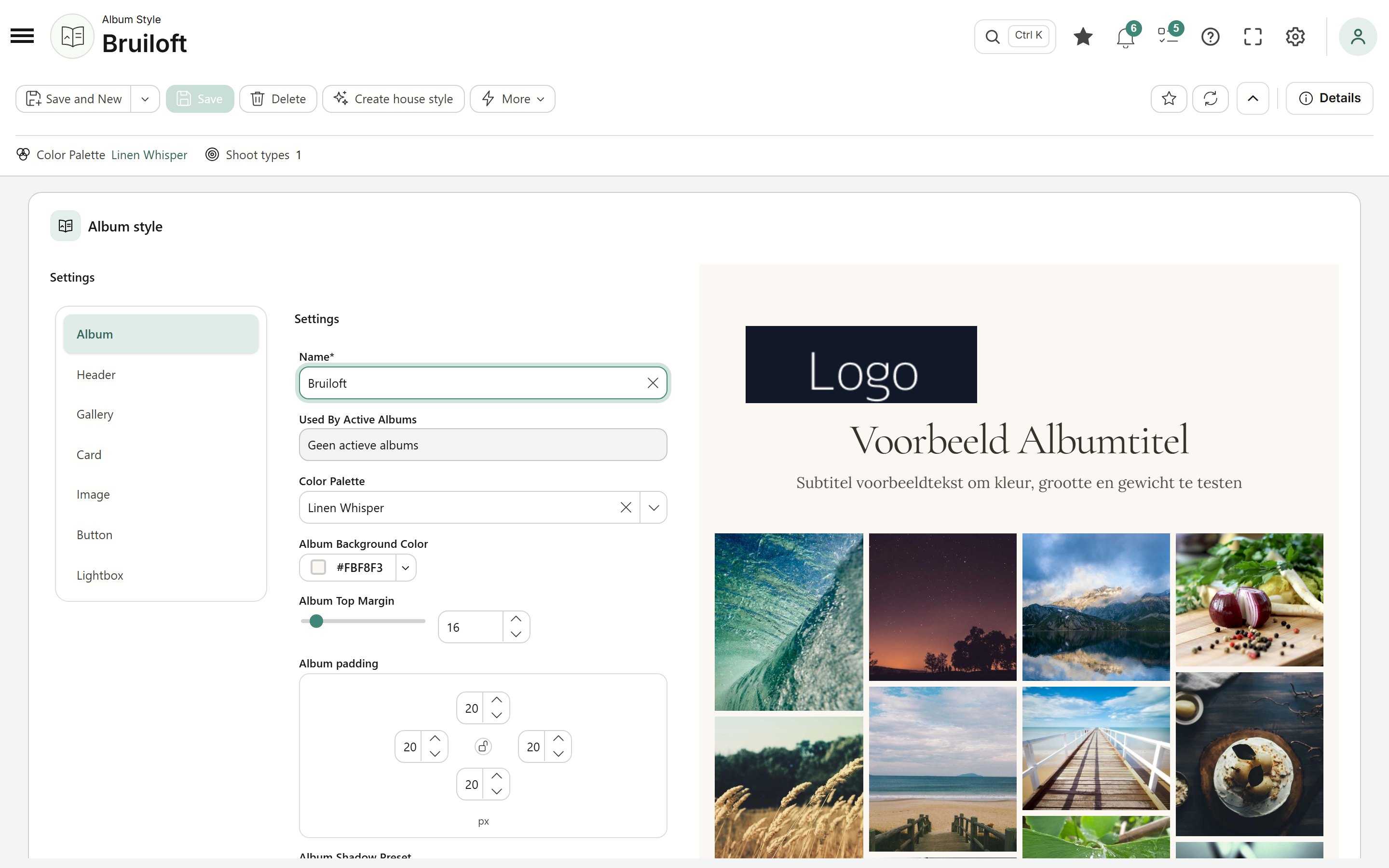
Colours, fonts and layout of your online albums, with an instant preview of the result.
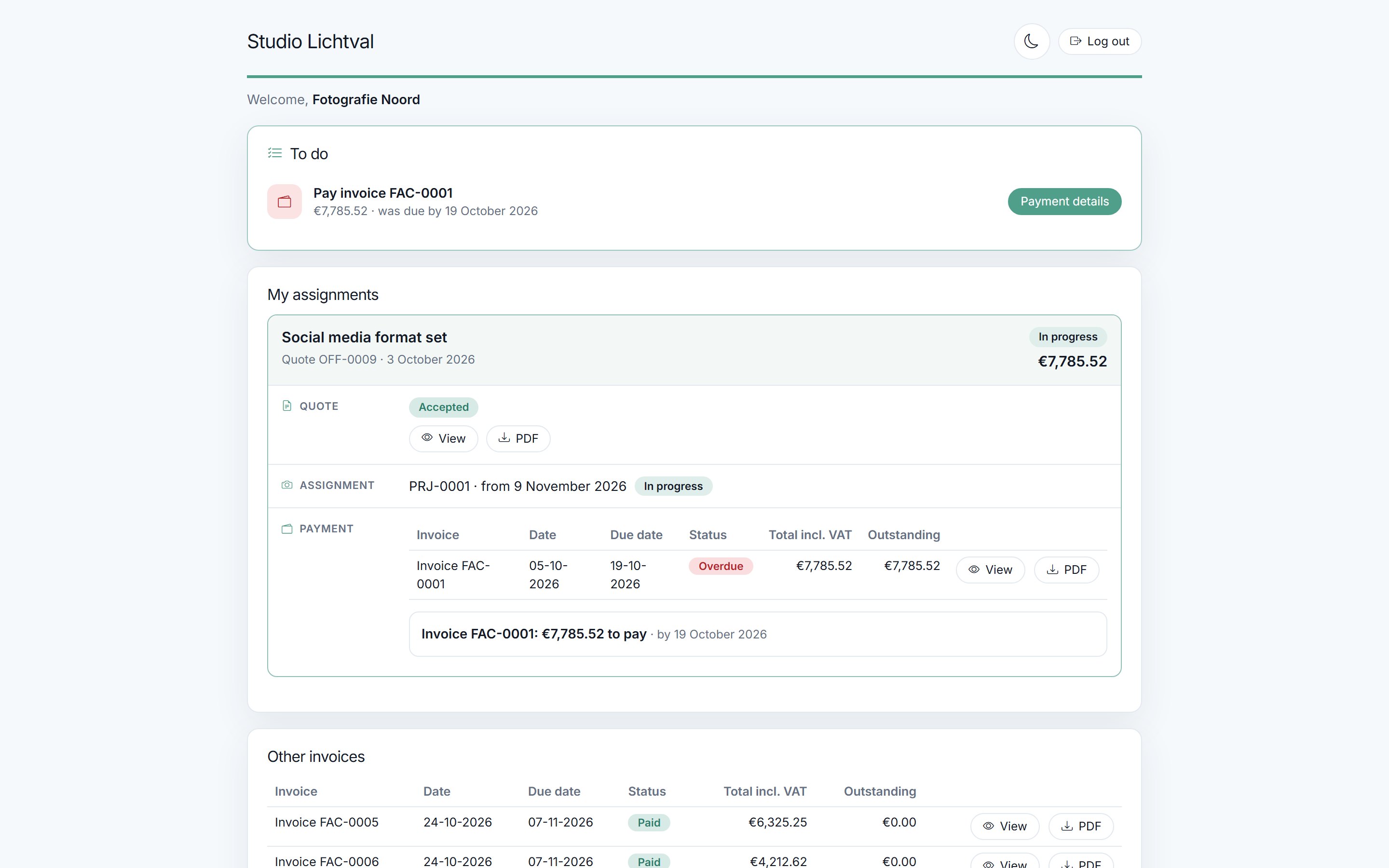
Your client logs in with a code sent by email and sees their quotes, projects, invoices and albums. They accept a quote there with one click.
Prefer a dark screen, for example when editing in the evening? Choose the dark theme and the whole app follows.
Features
Not a generic CRM you have to set up yourself, but a studio workspace that understands what a shoot is.
The start page shows what is under way from enquiry to invoice, your next shoot and what needs attention today.
One overview per client: enquiries, quotes, projects, invoices and a timeline of everything that happened.
Import your clients from Excel or CSV and get started right away. The starter kit with rates, texts and email templates is ready for you.
Work with your own products, packages and extras. Standard texts and terms are ready to use.
Let participants sign up with a QR code and work with a live queue on the day of the shoot.
Choose colours, fonts and layout for your online albums, so every album feels like your studio.
Clients mark their favourites and request retouches, straight from the album.
Schedule shoots, photographers and rooms, and keep track of tasks per project.
Confirmations, reminders and album links go out by themselves, with your own email templates.
Invoice from the project, in one go or with advance payments. If an invoice is overdue, the reminder is ready for you.
Your client pays through your own Mollie account or scans the QR code on the invoice. The payment shows up in the app by itself.
E-invoices for business clients, reverse-charge VAT within the EU and the Dutch small business scheme: your invoice is right, without the arithmetic.
Shoot at several locations at once, each with its own photographer, queue and sign-up QR code. In the album every location has its own section.
Quotes, emails, client portal and reports in Dutch or English, with one email template for both languages.
Give an employee or your accountant exactly the access they need, with fixed roles. Just tick a box, nothing to configure.
Smart help with AI
AI does the first draft: a quote, a product description or a style. You read along, adjust and decide. Nothing goes to your client without you having seen it.
Based on the contact moments with a client, the AI drafts a quote with the right products and packages.
Product descriptions, package contents, the introduction and closing of a quote, and terms: one click for a first version in your tone.
Upload your logo or a photo and get an album style with matching colours, which you then refine yourself.
Paste the HTML of an email you already use and the AI turns it into editable blocks in your email templates.
Who it's for
Whether you do portraits, corporate photography, headshots on location or events: Apertur Studio keeps your admin in order, so you can take photos.
Pricing
Try Apertur Studio free for 14 days. After that your subscription continues automatically: you pay monthly, or yearly with a discount. You can cancel at any time, including during the trial; then you pay nothing.
€29.95 per month, incl. VAT€24.75 per month excluding 21% VAT
5 GB storage includedfor your albums, photos and documents
Need more space? Extend your storage whenever you like:
Prices incl. VAT. With a yearly subscription you pay 12 × the monthly price. You can switch at any time; the difference is settled.
You get your own studio workspace with a starter kit: VAT rates, units, payment terms, quote texts, terms and email templates are ready right away.
The payment page and the welcome email are in Dutch for now; the app itself works in English.
Try it free for 14 days